 Mr Viral
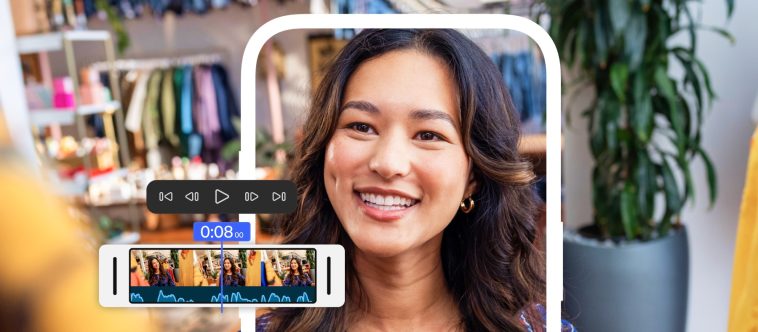
The days of compromising on video quality when editing on your phone may finally be over. Adobe has officially launched its industry-leading Premiere video editor as a dedicated mobile app, bringing a powerhouse of creative tools directly to the iPhone.
For years, content creators have navigated a tricky landscape of mobile video editors. You either had simple, template-driven apps that lacked creative control, or more complex solutions that came with a steep learning curve and subscription fee. Adobe is aiming to bridge that gap with a familiar name and an incredibly powerful feature set.
This isn’t a watered-down version of its desktop counterpart. The new Adobe Premiere mobile app is designed from the ground up to provide a fast, intuitive, and surprisingly deep editing experience for everyone from TikTok creators and YouTubers to professional videographers needing to make quick edits on the go.
The launch signals a major shift in how seriously big software companies are taking mobile content creation. By putting professional-grade tools into a free app, Adobe is empowering a new generation of storytellers and giving seasoned pros a valuable tool for their mobile workflow.
“We’re excited to bring the power of Premiere to creators’ fingertips, delivering pro-level creative control, without the pro-level complexity. Premiere on iPhone makes it easy for creators to craft and share stories on mobile with studio-quality audio, precise editing tools and stunning visuals, to turn everyday content into polished stories anytime, anywhere.”
Mike Polner, vice president, product marketing, creators at Adobe.
Key features
The new app is packed with features that were once exclusive to desktop software, many of which are now supercharged with Adobe’s Sensei AI technology.
End-to-end editing tools
This is the core of the experience. The app features a lightning-fast, unlimited multi-track timeline, allowing you to layer multiple video and audio clips with precision. It supports 4K HDR editing, frame-accurate trimming, animated captions, and smooth speed ramping effects. There’s even an instant background removal tool for creating clean, professional-looking shots without a green screen.
AI audio tools
Bad audio can ruin a great video, and Adobe has included some impressive AI-powered tools to fix it. ‘Enhance Speech’ is designed to clean up dialogue and voiceovers, removing background noise to deliver crystal-clear sound. The app also includes ‘Generative Sound Effects’, allowing you to create perfectly timed sound elements using simple text prompts.
Generate unique assets with AI
Powered by Adobe’s Firefly generative AI model, you can create unique assets directly within your project. This includes generating custom stickers, seamlessly expanding the background of a shot, or even creating video clips from a still image. Crucially, Adobe states these AI-generated assets are commercially safe for use.
Edit at the speed of inspiration
A laggy interface can kill creativity, so performance is key. Adobe has built the app natively for iOS to ensure a fast and responsive experience. Media management is simplified, and best of all, the free version exports your projects without a watermark, a major win for creators.
Vast libraries of free creative assets
To help your content stand out, the app provides access to millions of free creative assets. This includes stickers, stock images, a wide range of Adobe fonts, and a library of royalty-free music tracks that you can drop straight into your timeline.
One-tap exports to social media
The app is built for the social media age. It features one-tap export presets for every major platform, including TikTok, YouTube Shorts, and Instagram Reels. It can automatically resize your video for different aspect ratios while using AI to keep the main action centred in the frame, saving a huge amount of time.
A seamless workflow
One of the most compelling features for existing Adobe users is the integration with the desktop version of Premiere Pro. You can start an edit on your iPhone while on the move and then seamlessly send the project to your computer for more detailed fine-tuning and colour grading on a larger screen.
This flexible workflow means you can be productive anywhere, capturing and assembling a rough cut on your phone before adding the final professional polish back at your desk.
Price and availability
The Adobe Premiere mobile app is available worldwide starting today, and you can download it for free from the iOS App Store. The core app provides all the powerful mobile editing tools you need to get started.
For those who need more, optional upgrade plans are available. These paid tiers will offer additional cloud storage and more generative AI credits for creating assets with Firefly.
While iPhone users can get started today, Adobe has confirmed that an Android version is currently in development, with more news to come on its release date.
For more information, head to https://www.adobe.com/au/products/premiere.html






GIPHY App Key not set. Please check settings