 Mr Viral
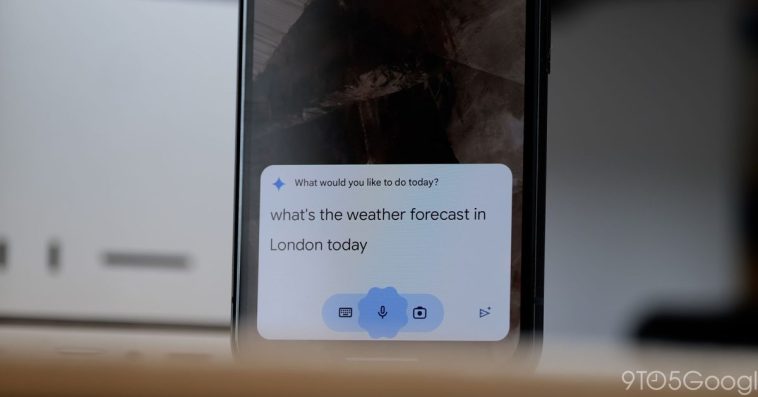
The “Utilities” Gemini Extension has been rolling out over the past few weeks, and it’s now seeing wider availability in the Android app.
With this Utilities Extension, the Gemini app will stop using the Google Assistant fallback for basic tasks, like turning on the flashlight. To make sure it’s available, launch the Gemini app > open multitasking and tap the icon for App info > Force stop the Google app.
Before vs. after
Afterwards, Utilities should appear in the Gemini Extensions list near the bottom. It’s enabled by default. Notably, you can ask Gemini to do the following from your lockscreen:
Set and silence alarms
Set and stop timers
Turn the following features on or off: Flashlight, Bluetooth, Do Not Disturb, and Battery Saver
Check your device’s volume and battery level
Power off or restart your device
Take a photo and screenshot
Control media, like pause or replay a video
This also enables the ability to have Gemini get information out of Pixel Screenshots.
The full list of everything that Gemini Utilities Extension can do (with example prompts) is below:
Request multiple actions at once
You can ask the Gemini mobile app to perform multiple actions in one prompt.
Turn my media volume and notification volume to [percentage] and turn on battery saver.
Take a photo with a 10s timer
Open websites, apps & settings
You can ask the Gemini mobile app to open a website, your apps, and settings menus.
Open [URL name]
Open [app name]
Open [name of settings] settings
Check & control your device features
You can ask the Gemini mobile app to do the following actions on your device:
Turn [on, off] flashlight
Turn [on, off] battery saver
Tell me the volume
Volume [percentage]
Turn [up, down] volume
Decrease brightness to [percentage]
What’s my battery level?
Power off device
Restart my device
Take photos & screenshots
You can ask the Gemini mobile app to take a photo or screenshot.
Take a selfie
Take a picture in [seconds]
Take a screenshot
Control your media playback
You can ask the Gemini mobile app to control media playback on your device.
Pause
Pause the [music, video]
Stop the [music, video]
Resume
Continue playing
Replay
Restart [music, video]
Skip
Next
Next [song, video]
Previous
Play previous
Give this [song, video] a thumbs up
Browse or search for screenshots in Pixel Screenshots
You can ask the Gemini mobile app to find a screenshot for you in the Pixel Screenshots app.
Search for [item, object, content type] in Pixel Screenshots
Show me my [collection name] in Pixel Screenshots
Check Pixel Screenshots. [your query].
Set & manage alarms & timers in your clock app
If the Clock app by Google is enabled on your device, the Gemini mobile app uses it over any other clock app.
For third-party clock apps, the Gemini mobile app can only set alarms and timers. Other actions aren’t supported.
Set & manage alarms & timers based on your conversation
Set an alarm so I can wake up for [event, activity].
I need to focus on [activity, task] for [length of time]. Set a timer for this.
Show my alarms.
After Gemini’s response: Delete the [time] alarm.
When does [activity, event] start?
After Gemini’s response: Set an alarm for [hours] hours earlier.
Set & manage your alarms
Set alarm at [time]
Set alarm in [minutes]
Change [alarm name] alarm to [time]
When is my next alarm?
Show my alarms
Snooze alarm
Stop
Cancel [time] alarm for [day]
Remove all my alarms
Delete [time, alarm name] alarm
Set & manage your timers
Set alarm at [time]
Set alarm in [minutes]
Change [alarm name] alarm to [time]
When is my next alarm?
Show my alarms
Snooze alarm
Stop
Cancel [time] alarm for [day]
Remove all my alarms
Delete [time, alarm name] alarm
Add 9to5Google to your Google News feed.
FTC: We use income earning auto affiliate links. More.






GIPHY App Key not set. Please check settings