 Mr Viral
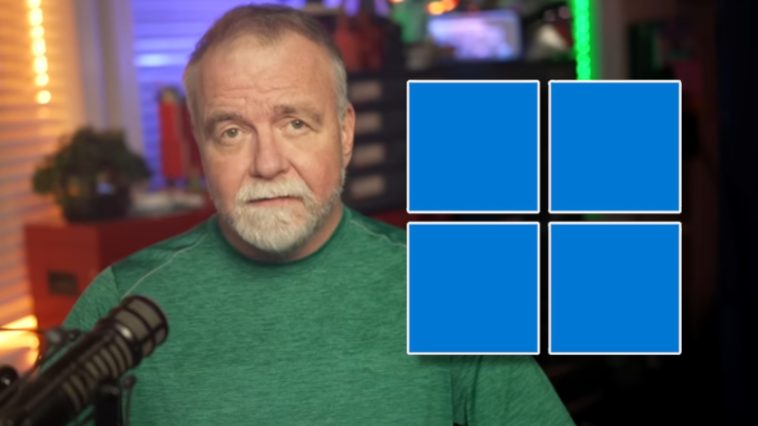
Image: David Plummer
Dave Plummer was once a programmer for Microsoft, where he played a key role in the development of the Windows Task Manager as well as the ZIP archive import for the operating system. The man has definitely earned his spot as an essential part of Windows history.
So you know there’s weight when he begins his latest YouTube video with the words “Windows sucks.” But Plummer doesn’t call names and leave it at that. He also explains why he thinks Windows is bad and how Microsoft could change things for the better.
Plummer believes that Windows didn’t suddenly become bad in one fell swoop. Instead, it has slowly moved away from the people who use it and rely on it the most. Plummer accuses Microsoft of turning Windows into a sales channel for all its products.
In the video, Plummer explains how Microsoft spent around two decades optimizing Windows to appeal to a billion people. It was a business decision to make the operating system’s user interface simple for less tech-savvy users in the hopes they’d buy Windows. Not bad so far.
The problems began with Windows 10
Ever since Windows 10, Microsoft has moved to a Windows-as-a-Service model, where you install the operating system once and it’s then regularly updated over time. This, of course, meant that Microsoft had to find new ways to generate revenue from Windows.
Microsoft began to steer these users towards cloud services and subscriptions: Office 365, OneDrive cloud storage, Xbox services, and Azure. Windows 10 became the gateway to Microsoft’s ecosystem (from which the company wanted to earn much more) and was no longer just a product that Microsoft sold for profit.
Microsoft has also been collecting more user telemetry data since Windows 10 and therefore knows more about them. This data can be used to improve the operating system, but it’s also used to inundate users with app upsells and service recommendations.
Windows 11 took things even further
Windows 11 is now the entry point for Microsoft 365, Xbox Game Pass, OneDrive, Edge, Copilot, and Microsoft Store apps. Everywhere you look, Windows 11 is trying to get you to use a Microsoft product you didn’t want in the first place.
When you open the Start menu, “recommended” Microsoft 365 apps are displayed front and center. When you open Settings, a banner reminds you to sign in to OneDrive. The search function tries to redirect you to Bing results, even for local search queries.
Plummer nails it with this succinct statement: “When the OS suggests, hey, maybe you should switch browsers after you explicitly chose another one, that’s not onboarding. That’s just disrespect.”
How could it change for the better?
Plummer calls for a “professional mode” that users can easily switch on. In professional mode, Windows would be clean and straightforward without any ads, suggestions, or other intrusive bits.
In addition, all Windows settings should be centralized in one place without needing to search for them. You can see all his suggestions for a better Windows in the 16-minute video above.
This article originally appeared on our sister publication PC-WELT and was translated and localized from German.
Author: Hans-Christian Dirscherl, Managing Editor, PC-WELT
Hans-Christian Dirscherl began his IT life with Autoexec.bat and config.sys, Turbo-Pascal and C, Sinix and Wordperfect. He has been writing on almost all IT topics for around 25 years, covering everything from news to reviews and buying guides.






GIPHY App Key not set. Please check settings